
Square claims to help businesses of any size succeed in taking card payments, in-person or online – but does it deliver the goods?
Startups.co.uk is reader supported – we may earn a commission from our recommendations, at no extra cost to you and without impacting our editorial impartiality.
During hours of hands-on testing and analysis, we found Square POS to be the best POS system for small businesses, while Square Terminal also made our ranking of the best card machines.
Square lets you start selling for free, provides a basic card reader, and a fair payment platform – making it a great all-in-one solution for businesses.
Below, we’ll share everything you need to know about Square, including its POS features, the Square card reader, its pros and cons, and what kind of businesses it’s best suited to.
- Square is the top overall POS system for small businesses, offering an easy-to-use interface and a free plan with no monthly software fees or setup costs.
- In-person processing fees are 1.75% per transaction, while online sales are 1.4% + 25p.
- Square’s hardware options range from £19 + VAT for the Square Reader to £699 + VAT for the Square Register.
- “Plus” tiers – like Square for Restaurants and Square for Retail – add advanced features like multi-location inventory syncing or floor plan management and 24/7 support.
- Businesses making over £10-£15k per month or needing advanced ingredient-level stock tracking may find Square’s feature set limiting.
At Startups, we provide an unbiased review of POS systems for small businesses through industry analysis and user testing.
In this review, we assessed Square against six criteria: usability (35%), software capabilities (25%), pricing & financial terms (20%), help & support (10%), hardware flexibility (5%), and reputation & market standing (5%).
You can find a more detailed explanation of our full review process at the end of the article.
In this article, we cover:
- Who do we recommend Square for?
- How much does Square cost?
- What is the Square card reader hardware like?
- What is Square's software like?
- What’s it like to use Square for Retail?
- What’s it like to use Square for Restaurants?
- What are the best alternatives to Square?
- How did we test and review Square?
Who do we recommend Square for?
Square

-
Monthly fees:
None (premium plans from £29)
-
Transaction fees from:
1.75%
- Free plan available
- Provides live transaction monitoring
- Offers a simple and straightforward solution
Summary
Square Terminal is a versatile payment device that enables businesses to accept various payment types. Known for its simplicity and modern design, it’s a popular choice among UK merchants. We recommend Square Terminal for businesses seeking a straightforward, flexible way to take payments.Square could work well for almost any business, which is why we ranked it as the best overall, but we’d particularly recommend Square for new businesses that are just getting started.
It’s by far the easiest system to use that we tested, so inexperienced business owners should be able to get to grips with the interface in no time at all. Plus, the free plan allows for a lot of flexibility if you’re on a tight budget.
The pros and cons of Square
Square offers an affordable and easy-to-use POS solution with minimal setup, making it a great choice for small businesses that need to start taking payments quickly without committing to long contracts or expensive hardware.
That said, its straightforward approach also means it lacks some of the advanced operational tools found in more comprehensive platforms, such as Lightspeed or Epos Now.
- Free plan with no setup costs, while its card reader starts from just £19
- In-person transactions are billed at a flat 1.75% with zero PCI-compliance, statement, or chargeback administration fees
- Includes a free online store builder, integrated invoicing, and offline payment capabilities
- No 24/7 support, except for the Plus plan
- You can’t integrate an existing POS system
- POS lacks advanced features like cost and profit management and ingredient tracking tools
How much does Square cost?
Unlike many POS providers that require monthly subscriptions or long-term contracts, Square allows businesses to start with no software fees and only pay transaction fees for each sale they make.
However, businesses that need more advanced retail or hospitality features may need to upgrade to one of Square’s paid plans and invest in additional hardware.
Monthly software subscriptions
- Standard POS Plan (£0/month): includes inventory management, customer directory, basic reporting, and multi-location management at no monthly cost.
- Square for Retail Plus (£49/month/location): adds advanced vendor management, automated purchase orders, cross-location stock transfers, and barcode label printing.
- Square for Restaurants Plus (£69/month/location): adds floor plan management, advanced kitchen display systems (KDS) routing, and seat management.
Payment processing fees
- In-person card payments (chip & pin, contactless, and mobile wallets): flat 1.75% per transaction for all UK debit and credit cards
- Online card payments (Square Online Store): 1.4% + 25p for UK cards (2.5% + 25p for non-UK cards).
- Manually entered/phone payments/ virtual terminal: 2.5% per transaction
Hardware pricing (one-off purchase)
| Hardware name | What it is | Price |
|---|---|---|
| Square Reader (2nd Gen) | Compact Bluetooth reader for pocket/mobile use | £19 + VAT |
| Square Stand (2nd Gen) | Turns an iPad into a sleek countertop checkout station with an integrated reader | £99 + VAT |
| Square Terminal | Standalone portable touchscreen device with built-in receipt printer | £149 + VAT |
| Square Handheld | Slim handheld unit with built-in barcode scanner for table-side or inventory scanning | £169 + VAT |
| Square Register | Dual-screen countertop till with customer-facing display | £699 + VAT |
What is the Square card reader hardware like?
One of Square’s major strengths is its wide range of card machines, POS terminals and accessories. We’ll take you through a detailed overview of each option.
Square Reader
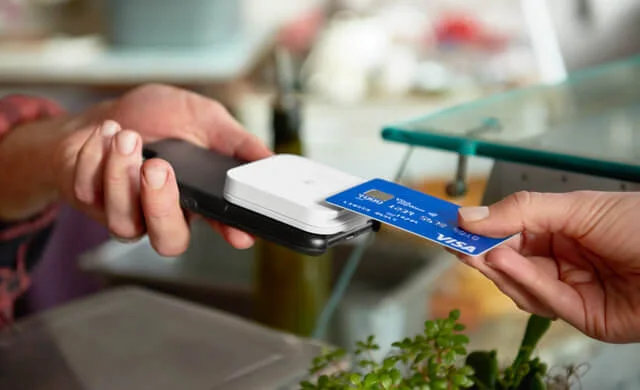
Costing just £19 plus VAT, the Square Reader is a light and simple solution for taking card payments from your customers. Once you’ve paid for the reader itself, you just need to pay the 1.75% transaction fee for every card payment you take.
- It accepts payments from credit cards, debit cards, American Express, and mobile payment apps – all for one fixed rate (meaning no hidden costs)
- The pocket-sized reader is very easy to set up; you just have to connect using your phone’s Bluetooth.
- It can last all day on a single charge, which is especially handy for on-the-go businesses, and it can also take payments offline.
- There’s no screen or PIN pad, meaning all inputting is done via the Square POS app (all you need to do is select which items your customer wishes to purchase, or simply type in the sum of the transaction)
What’s it like to use the Square Terminal?
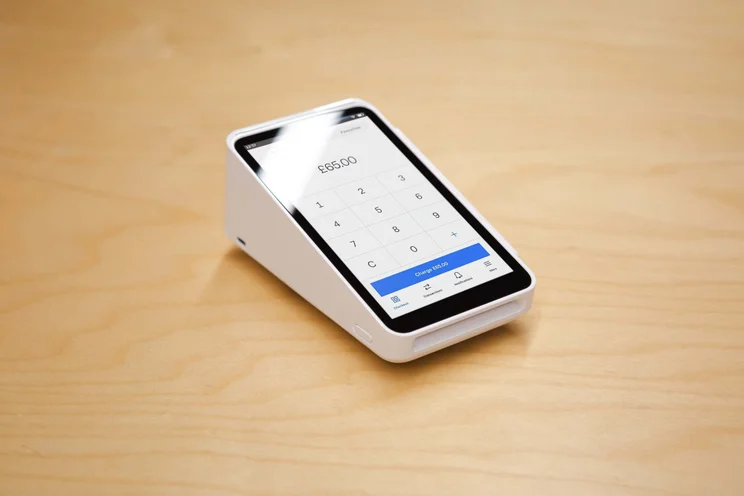
The Square Terminal costs £149 plus VAT – a big jump in price from the Square Reader. If you want to add the Hub (you use it to connect to the internet via Ethernet, and it also allows you to add USB accessories), then this will cost you an extra £39 plus VAT. The Square Terminal is subject to the same 1.75% card present fee as the Square Reader.
- The terminal has a large display screen that you can manage your inventory from, and comes equipped with a receipt printer.
- Its large display screen makes it easy for customers to see what their total is, which we found was much more efficient than some of the smaller devices we’d tried out.
- Due to its large size, Square Terminal works better on a countertop rather than being held and carried around for the working day.
- Offers an option for mobile data connection – something that many of its competitor devices support, like the Clover Flex and takepaymentsplus.
What other POS equipment does Square provide?
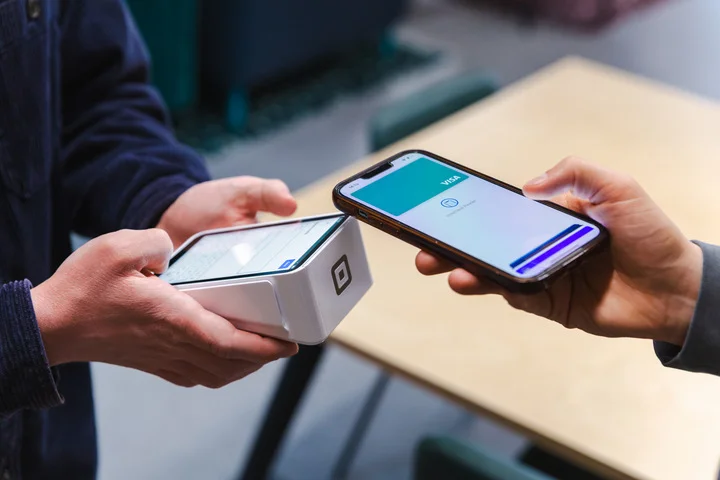
In addition to the Square Reader and the Square Terminal, Square also provides:
- The Square Stand (£99 plus VAT): lets you turn an iPad into a POS terminal (you can also purchase the iPad directly through Square)
- The Square Register (£699 plus VAT): Square’s powerful, dual-screen till system – complete with pre-installed POS software, and has its own payment terminal (no additional readers, apps or smartphones needed)
Square also provides barcode scanners, cash drawers, receipt printers and even kitchen touchscreen displays. Essentially, any hardware you’ll need to run your business smoothly can all be bought through Square directly.
Square also has the Square Kiosk, an iPad-run device that customers can use to serve themselves, allowing you to free up your staff. Square can also provide hardware kits that are bundles of its first- and third-party hardware, so you’ll have everything you need straight out of the box.
What is Square’s software like?
Square is one of the few POS platforms that offers a completely free POS app for its customers to use, which you can download to a smartphone or tablet. Not only is it free of charge, but we ranked it as our number one choice for free POS software for your small business, thanks to its sophisticated, sleek design.
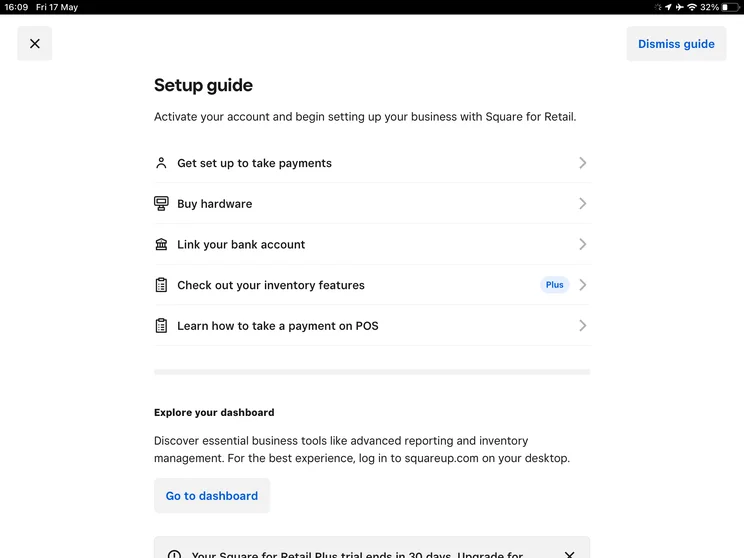
Square is a great fit for smaller and micro businesses, like food trucks or pop-ups, that need to process payments but keep overheads lean. There are no monthly charges or setup fees, so it’s great for keeping costs low.
The free software gives you everything you’ll need to get going, including team management tools, cash management features, invoicing and detailed sales reporting.
However, we wouldn’t recommend the free option for more established businesses, as it’s lacking advanced features that a slightly more sophisticated business, or multi-location enterprise, will need.
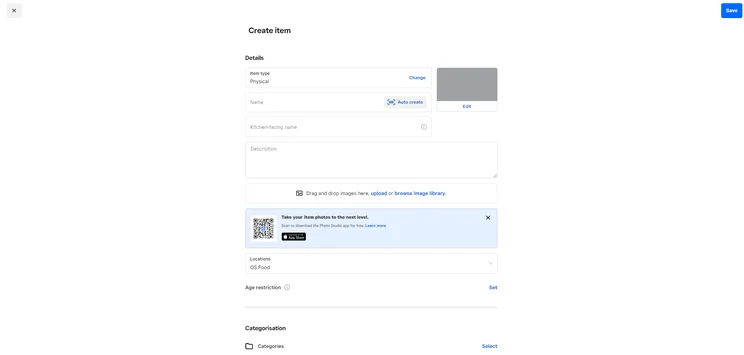
Square also breaks its POS plans into two separate types based on industry: Square for Retail and Square for Restaurant. These both have free versions, but you can also pay for the expanded “Plus” tiers.
What’s it like to use Square for Retail?
Square for Retail offers almost everything you’ll need in a POS system. You can use the free version of Square for Retail, or upgrade to the Plus plan. The Plus will also unlock 24/7 help and support, which could be critical for all-hours businesses.
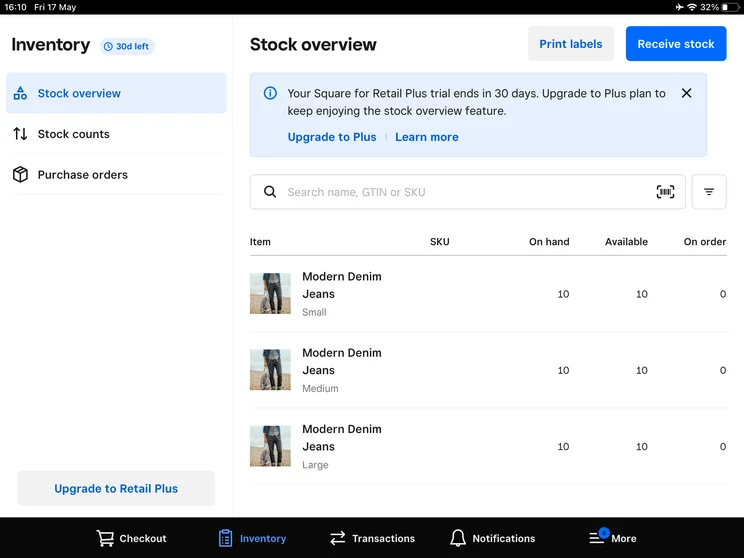
The exceptional employee management tools give you unlimited employee time tracking when paying for the Plus plan. You’ll also get barcode label printing, which will be critical for a lot of retail outlets.
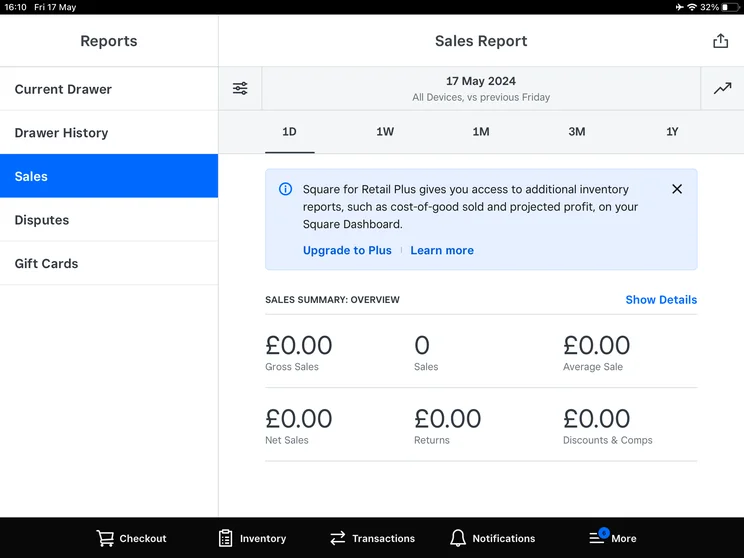
The Plus plan gives you all the advanced features your store will need to thrive, like:
- Inventory scanning tools
- Smart stock forecasts
- In-depth reporting features
- Cross-location returns: so your inventory is synced up across different outlets
During testing, both the front end and back end proved to be equally easy to use. The back end was just a nose easier to navigate around than the front end, though, thanks to its clearly defined menu headings. All the features we needed were readily accessible and easy to find, making it reassuringly fast and efficient to use.
How much does Square for Retail cost?
You can use Square for Retail on a free plan, but Square for Retail Plus costs £49 per month, per location. While this might seem expensive when there’s an option for a free plan, when compared against similar competitor paid tiers it’s actually quite a competitive monthly cost.
You’ll also unlock slightly lower transaction fees. Instead of the standard 1.75% transaction fee, you’ll be subject to a lower 1.6% fee. So if you’re taking in a large amount of sales, this could save you some money in the long run.
What’s it like to use Square for Restaurants?
Square for Restaurants emerged as our favourite POS system for restaurants. Similar to Retail POS, a huge benefit you’ll get from the Plus plan is access to 24/7 help and support.
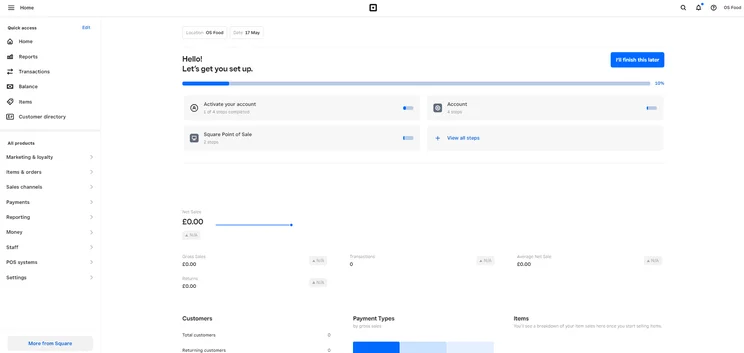
The other features that separate it from the free tier are:
- Seat management functionality
- Course management
- Ability to re-open closed bills (so you can void an accidental item, for example)
- Floor plan customisation
- Square for Restaurants mobile POS
- Option to add unlimited kitchen display systems
The mobile ordering features and the detailed stock management tools were one of the main reasons we picked it as the best POS for pubs and bars.
That said, there was a lack of in-depth cost management tools, including a comprehensive ingredient-tracking tool. Moreover, you can only change or update floor plans in the back end, so there will be a lot of back and forth if you’re doing this a lot. Meanwhile, a platform like Epos Now can do this directly from the till.
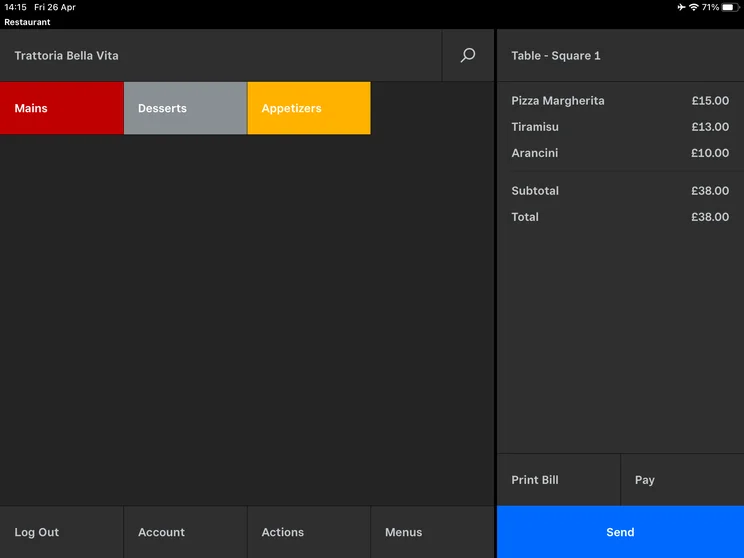
Square for Restaurants was extremely simple to use, with menu creation being particularly easy both from the back office and in the front end. Overall, it’s a really intuitive system, so you should have no trouble managing orders that are flying into the kitchen.
How much does Square for Restaurants cost?
Square for Restaurants Plus costs more than the Retail Plus, at £69 per month, per location. The reason being that Square for Restaurants Plus incorporates all the same features as Retail, but with additional F&B-specific tools like the table planning and kitchen display systems.
However, unlike the Retail Plus plan, you unfortunately won’t get access to the lower transaction rates. Square for Restaurants Plus is subject to the standard 1.75% fees that you get with the free plan.
Square POS also offers a Custom plan for both its retail and restaurant services. This is for established businesses that are taking in more than 200k per year. If you take in over this threshold, then you can negotiate custom pricing and transaction fees with Square.
What are the best alternatives to Square?
The top alternatives to Square are Shopify POS, PayPal Point of Sale, SumUp, Clover, TouchBistro, Lightspeed, Epos Now, and takepayments. You can find out more about these providers in the table below:
|
Pricing from
|
Transaction fees
|
||||||
|---|---|---|---|---|---|---|---|
 |
 |
 |
 |

|
 |
 |
 |
|
Shopify |
PayPal Point of Sale (formerly Zettle) |
SumUp |
Clover |
TouchBistro |
Lightspeed |
Epos Now |
takepayments |
|
Software: From £0 Hardware: From £29 |
Hardware: from £15 + VAT Software: from £0 |
Quote-based |
$69 per month |
Hardware: From £49 |
Hardware: from £15 per month Software: £358 (upfront) |
Hardware: quote-based Software: included in the hardware cost |
|
|
From 1.3% + 25p |
From 1.75% to 2.5% |
From 1.69% to 2.95% + 25p |
From 1.49% |
Not publicly disclosed; final rates vary |
Quote-based |
From 1.7% per transaction |
Quote-based |
How did we test and review Square?
At Startups, we combine in-depth industry research with hours of hands-on user testing, so we can give you the most helpful recommendations for your business possible.
For this review, we focused on six core areas and weighted each category based on its impact on day-to-day business operations.
- Usability (35%): reflects speed of transaction flow, intuitive front-end till navigation, and minimal staff training overhead.
- Software capabilities (25%): evaluates inventory management, multi-channel ecommerce integration, and menu management.
- Pricing & financial terms (20%): assesses overall value for money, including monthly software costs, transaction fees, contract terms, hardware investment, and pricing transparency.
- Help & support (10%): assesses resolution times, user community, and customer support availability.
- Hardware (5%): covers the quality, reliability, and flexibility of each provider’s hardware ecosystem, such as card readers, terminals, printers, and cash drawers.
- Reputation & market standing (5%): evaluates customer satisfaction, reliability, brand trust, and overall reputation among UK businesses.
For Square’s card machines
We tested and evaluated top card machines, including Square’s, on the key factors most relevant for SMEs, which are: the software, interface, and usability, the help and support options available, and the connectivity, charging, and printing capabilities.
Final thoughts
Square is a great option for businesses of almost any size, including sole traders. It’s great for newer businesses thanks to its simple, clear and fair transaction fees, zero set-up fees, and a truly great free POS app.
That said, if you’re processing over £10,000-£15,000 per month, you can get lower transaction rates with providers that offer custom pricing. Similarly, businesses with complex inventory needs, detailed cost and profit reporting, or advanced hospitality features like ingredient-level stock tracking may find Square’s capabilities limiting.
For most small businesses, however, Square strikes an excellent balance between affordability, ease of use, and functionality – making it one of the strongest all-round POS systems on the market.
The Square Reader is a low-cost card reader that connects to your smartphone or tablet via Bluetooth. On the other hand, the Square Terminal is a standalone payment device with a touchscreen, built-in receipt printer, and POS functionality – making it better suited to countertop use.
Yes. Square accepts contactless cards as well as mobile wallets (including Apple Pay and Google Pay), alongside major debit and credit cards.
Yes. Square’s hardware can continue accepting payments in offline mode if your internet goes down. Transactions are processed once your connection is restored.
Yes, but growing businesses may benefit from upgrading to Square’s paid Retail or Restaurant Plus plans, which include features like cross-location inventory management, advanced reporting, and advanced operational tools.
Yes. All Square users have access to customer support, while businesses on Square’s Plus plans benefit from 24/7 support, which can be especially useful for retailers and hospitality businesses operating outside standard business hours.
Startups.co.uk is reader-supported. If you make a purchase through the links on our site, we may earn a commission from the retailers of the products we have reviewed. This helps Startups.co.uk to provide free reviews for our readers. It has no additional cost to you, and never affects the editorial independence of our reviews.


