

As we put the two POS solutions head to head, we reveal which one is a better fit for your business
Startups.co.uk is reader supported – we may earn a commission from our recommendations, at no extra cost to you and without impacting our editorial impartiality.
In May 2025, we conducted extensive user testing, analysing SumUp, PayPal Point of Sale (formerly Zettle), and nine other top POS systems across six key testing categories (comprised of 33 subcategories for the retail industry and 37 subcategories for hospitality).
As a result of our testing, we’ve determined that, overall, SumUp is a better POS system than PayPal Point of Sale. We found that SumUp comes with more advanced software features, and a better range of terminals and accessories – just giving it the edge over PayPal POS.
While SumUp might be the victor, it’s a close-run race. Both systems have strengths and weaknesses you’ll need to know about before choosing one, and both are excellent free POS systems. We’ll take you through a round-by-round breakdown in the areas that are most crucial to a successful retail or hospitality business.
- Overall, we rate SumUp over PayPal Point of Sale because it has a cheaper card reader and premium plans that offer scalability.
- Both providers charge fair transaction fees, but SumUp’s is fractionally lower at 1.69% compared to PayPal Point of Sale’s 1.75%.
- PayPal Point of Sale is easier to use, thanks to its clean and simple interface, but SumUp provides the option for more advanced software features.
- SumUp’s POS Pro is best suited to restaurants, thanks to its inventory management tools and advanced employee management software, while PayPal’s simple-to-use software is a better choice for short-term or mobile businesses like pop-ups or food trucks.
In this article, we cover:
- How do SumUp and PayPal Point of Sale compare overall?
- Which is cheaper?
- Which is easier to use?
- What can SumUp and PayPal Point of Sale’s software do?
- How does their point of sale hardware compare?
- What is their user support like?
- SumUp vs PayPal Point of Sale: the overall verdict
- Methodology: how we put SumUp and PayPal Point of Sale to the test
How do SumUp and PayPal Point of Sale compare overall?
|
Provider
|
Score for retail businesses
|
Score for food and beverage businesses
|
Top highlight
|
Transaction fee
|
Monthly subscription price from
|
Card machine price from
|
Payout time
|
Pros
|
Cons
|
|
|---|---|---|---|---|---|---|---|---|---|---|
|
OVERALL WINNER
 |
 |
|||||||||
|
SumUp |
PayPal Point of Sale |
|||||||||
|
4.5
|
4.0
|
|||||||||
|
4.2
|
3.6
|
|||||||||
|
Speed and efficiency at an affordable price point |
Great for managing sales on the go |
|||||||||
|
1.69% |
1.75% |
|||||||||
|
£25 + VAT |
£29 + VAT for the first card reader |
|||||||||
|
One to three business days (barring Saturdays and Sundays), or next day payouts with Payments Plus |
One to two business days |
|||||||||
|
|
|||||||||
|
|
Which is cheaper?
This was a very close call, as there’s a lot to consider when determining how much a POS system should cost. But while both offer a free plan, SumUp has marginally lower transaction costs, a cheaper card reader, and also offers more in terms of scalability, with the option of upgrading to premium tiers.
| SumUp | PayPal Point of Sale | |
| Hardware | SumUp Solo Lite card machine: £25 excl. VAT SumUp Solo card machine: £79 excl. VAT SumUp Terminal: £135 excl. VAT SumUp Register: £399 + VAT POS Pro: a one-off personalised price starting from £754.80 (a customised package of hardware made up of iPad stands, card readers and kitchen display systems) | PayPal Card Reader: £29 excl. VAT for the first reader (full price is £69 excl. VAT) PayPal Terminal: From £149 excl. VAT |
| Software | Pay-as-you-go: Free Payments Plus: £19/month POS Plus: £29/month SumUp POS Pro: £49/month | Free |
| Transaction fees | In-person payments: 1.69% on pay-as-you-go Digital payments: 2.5% on pay-as-you-go 0.99% with Payments Plus | 1.75% for standard card payments and PayPal QR code payments 2.5% for payment links and PayPal Invoice payments |
PayPal Point of Sale’s pricing is straightforward and simple. It charges a flat 1.75% transaction fee, which is roughly about average compared to its competitors, making for a pretty great deal considering you’re getting it on a free plan.
SumUp also offers a free plan, and its transaction fee of 1.69% for in-person payments is cheaper than PayPal’s 1.75%. But if you pay for its Payments Plus plan, you’ll be only be charged a rock bottom 0.99% transaction fee. And, at £25 plus VAT, SumUp’s card reader is slightly cheaper than the PayPal Card Reader (£29 plus VAT for the first reader, and then £69 plus VAT for each subsequent reader you need)/
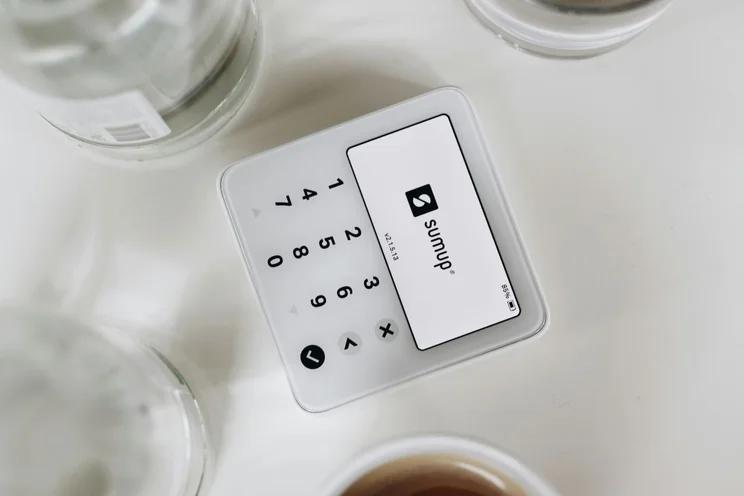
SumUp’s free POS plan will get you access to basic capabilities, such as:
- Taking card and digital payments
- Tracking your sales
- Creating invoices
- Managing tips.
To access the full range of extensive features you’ll need to pay for SumUp POS Pro, which costs £49 per month. There’s also additional costs for certain features, including stock and ingredient management, so new starters need to bear this in mind.
While SumUp might be a nose ahead, ultimately both systems are very reasonably priced. For those who need to get set up on a budget and don’t want to be locked down into a contract, both are fantastic options.
Which is easier to use?
In our tests, PayPal Point of Sale emerged victorious as the more user-friendly platform of the two. The exceedingly simple, clean interface makes for some exceptionally easy navigation.
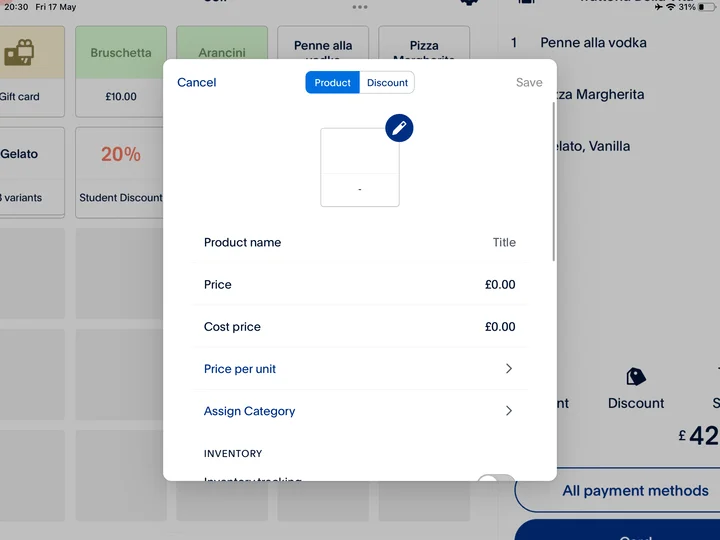
Since our previous testing in 2024, PayPal Point of Sale has remained a consistently easy-to-use system. It’s equally intuitive in both the front and back ends of the software. The stripped down minimalism of the menus and the large clear buttons really stand out as key design strengths.
While we did experience a few crashes and bugs, and a few issues persisted into 2025 (like the lack of a search function on the item screen when using an iPad) we appreciated PayPal Point of Sale’s simplicity. The intuitive system would be a good fit for pop-ups, cafes or businesses on the move, like food trucks.
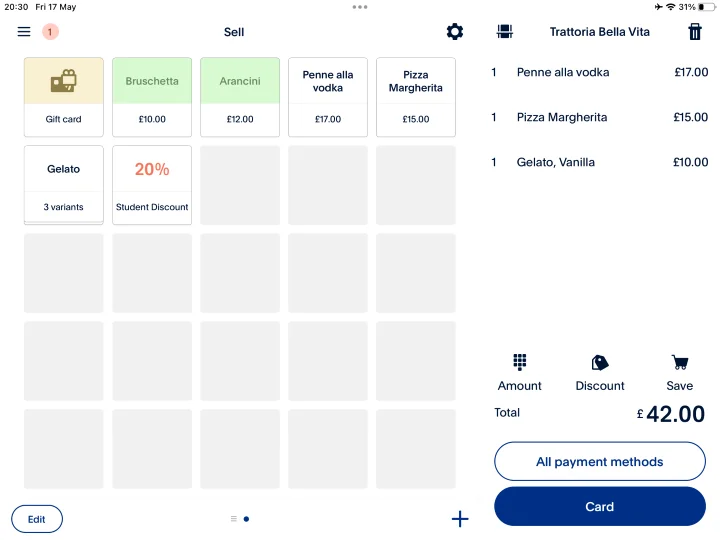
Meanwhile, SumUp has made some notable changes to its front end since 2024, but we still found the back office could be clunky, slow to load, and didn’t always synchronise perfectly with the front end. There are a few missing hospitality POS system features, like bill splitting.
However, the front end has seen improvement, especially when completing core tasks like table management, editing an order, or cancelling a payment. It would be a good beginner-friendly software, thanks to the easy navigation and short learning curve.
It was a close call between the two platforms, as both excel in simplicity and ease of use (although Square beats them both as the most user-friendly POS platform for retail businesses, as well hospitality). However, we felt there was less of a disparity between the front and back office with PayPal Point of Sale’s interface, which just put it past the post for us.
What can SumUp and PayPal Point of Sale’s software do?
Both offer solid features, but SumUp comfortably takes the gold this round thanks to its more extensive catalogue of features across different plans – especially the inventory management capabilities, including helpful stock alerts and useful cost management tools.
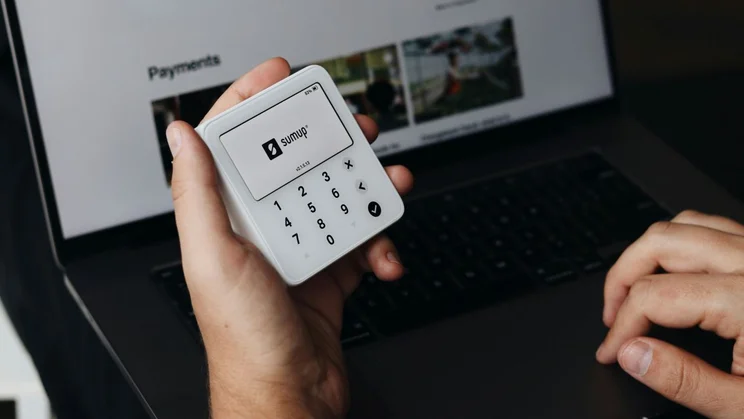
Both of these systems’ free plans come with some handy features included straight out the box, such as:
- Gift card creation
- Tap to Pay on phone
- Sales reports
However, SumUp is able to provide a more advanced set of tools with its Plus and Pro plans. On SumUp’s Plus plan, you can get table management features, a real-time overview of your cash flow, and you can assign a printer to the bar or kitchen.
Recently, SumUp has launched SumUp Bookings. This feature allows you to streamline scheduling with tools including automatic appointment confirmations, the ability to add customer notes, and a free website you can use to display your services.
SumUp POS Pro, the top tier, provides advanced employee management, inventory tools, and multi-store support. You can also set up and customise mobile and QR code ordering, which could be essential for businesses that need a takeaway POS system, or events-based companies.
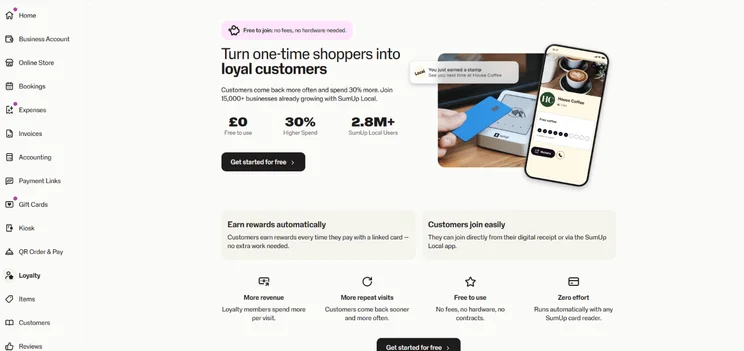
During our testing, we particularly appreciated:
- SumUp’s personalised loyalty programme that helps you drive repeat business (though this is a paid extra)
- The ingredient tracking feature
- The customisable kitchen display interface (subject to a monthly cost)
- Its built-in email marketing
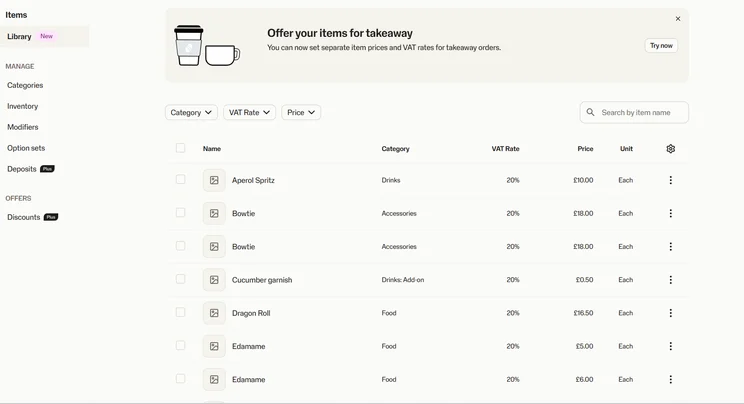
PayPal Point of Sale offers some solid software as well, impressing us with how quick it is to add products and apply discounts. However, we did find it lacked the more advanced tools needed by bigger retail stores.
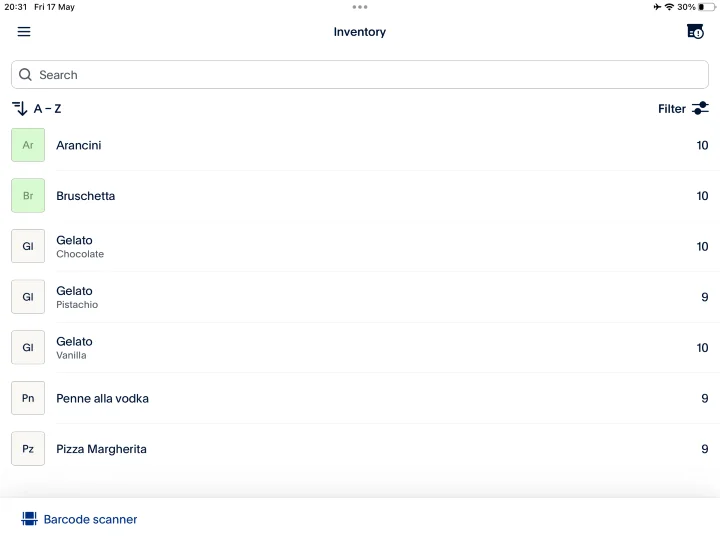
The inventory page of PayPal Point of Sale. Source: Startups.co.uk
PayPal Point of Sale’s deficit of in-depth cost vs profit management tools would also be an issue for larger scale businesses, while the lack of built-in floor planning functionality will also rule it out for some restaurateurs.
That said, we did appreciate:
- The customisable gift card features, including the option to sell and accept physical gift cards
- PayPal Point of Sale’s customer loyalty programme, which is included as a free add-on
If you run a small, single-store retail or cafe business and only have a handful of items to sell, PayPal Point of Sale’s free software is still a very strong option for you. But it’s the depth of tools and features provided by SumUp’s Plus and Pro plans that seal the deal for us this round.
How does their point of sale hardware compare?
While PayPals card reader and POS terminal are solid bits of kit, SumUp’s more extensive range of hardware, which includes a dual-screen countertop device and even a self-service kiosk, makes it a clear winner.
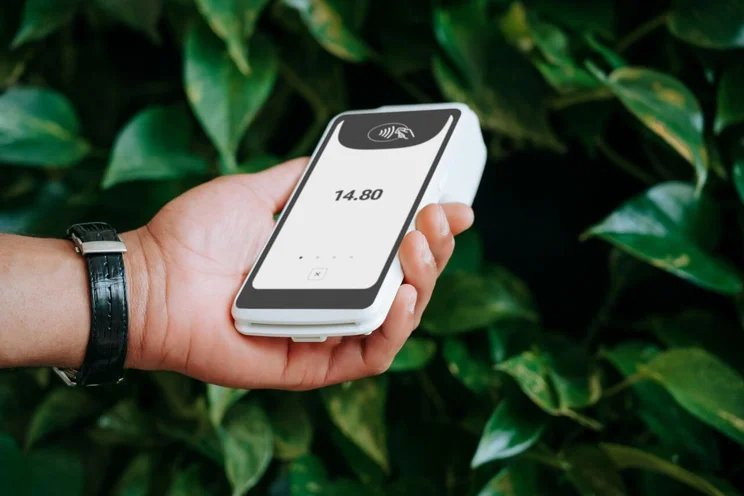
PayPal Point of Sale provides the small PayPal Reader card machine and the PayPal Terminal, a handheld touchscreen POS terminal with an embedded barcode scanner
The POS software can also be used on an iPad – in fact, PayPal Point of Sale is one of our top choices for an iPad-based POS. PayPal also provides a selection of’ ‘ready-made’ store kits that combine different hardware and accessories.
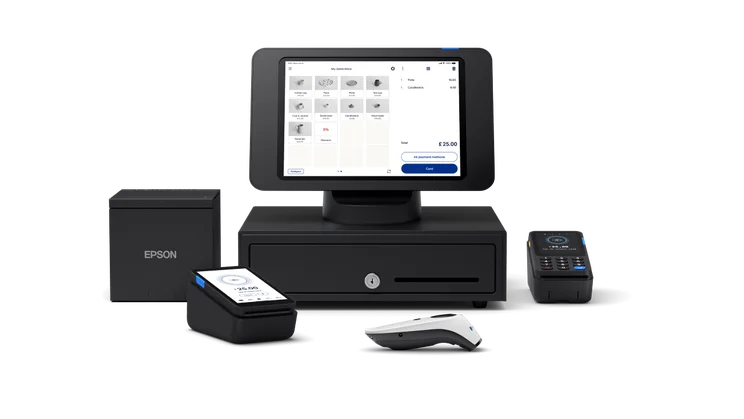
SumUp provides an impressive range of hardware, including the small and sleek SumUp Solo Lite reader, as well as the SumUp Terminal. The SumUp Terminal is a handheld POS device with a built-in receipt printer, which can use AI to create a product catalogue from a picture of your menu.
In 2026, SumUp also launched a dual-sided countertop terminal: the SumUp Register. The till has a 13” touch screen, as well as a customer facing 8″ screen that is capable of taking payment, and it comes pre-installed with the POS software.
You may need more hardware than just a card machine and POS terminal. Depending on your business, you might need barcode scanners, receipt printers, and/or cash drawers. Luckily, both SumUp and PayPal Point of Sale offer a range of accessories to kit out your business.
What is their user support like?
Both SumUp and PayPal Point of Sale offer a similar range of help and support options. But SumUp comes out slightly ahead thanks to the effectiveness of its knowledge centre, and the fact that it provides a training mode.
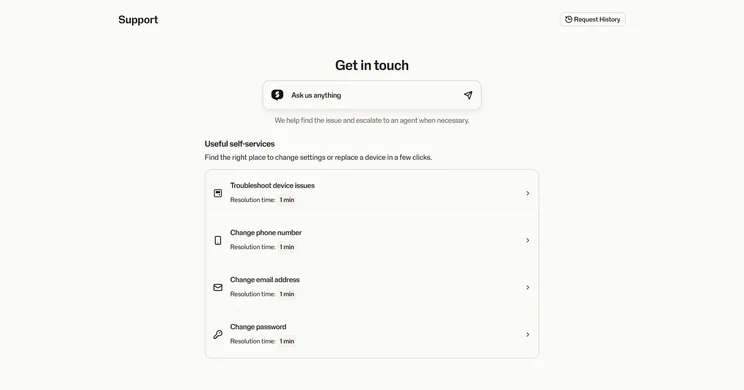
SumUp’s help and support page. Source: Startups.co.uk
Both SumUp and PayPal Point of Sale offer a wide range of user support channels – including phone lines, email, live chat, in-platform support, and video tutorials – though, unlike SumUp, PayPal Point of Sale also provides support on social media.
This might have given PayPal Point of Sale the edge over SumUp, but when putting the knowledge centres through their paces, we found that SumUp’s performed slightly better.
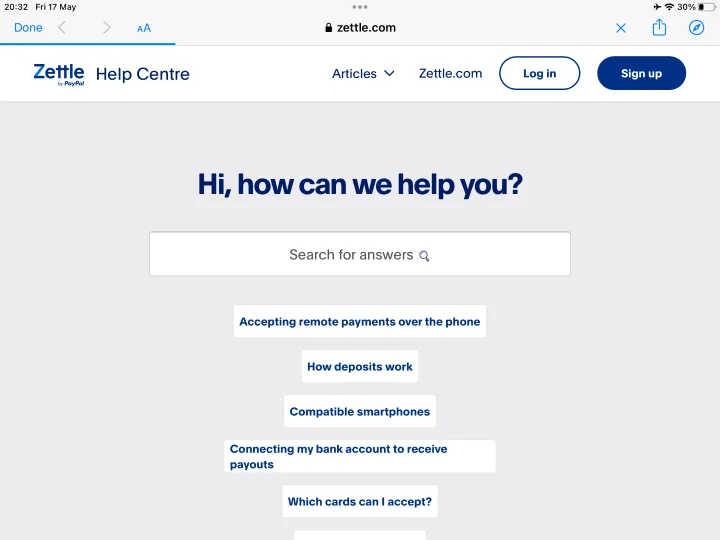
That said, when we tested the chat functions of both platforms (we asked them “How can I view my sales and revenue reports?”) we found the speed and accuracy of the answers were identical – despite PayPal Point of Sale’s chat being answered by an actual human, whereas SumUp’s was just a bot.
What did finally push SumUp onto the winners podium, though, was the fact that, unlike PayPal, it offers a training mode for onboarding new staff. Also, SumUp crucially provides 24/7 support through any of its paid subscription plans.
Which is better overall – SumUp or PayPal Point of Sale?
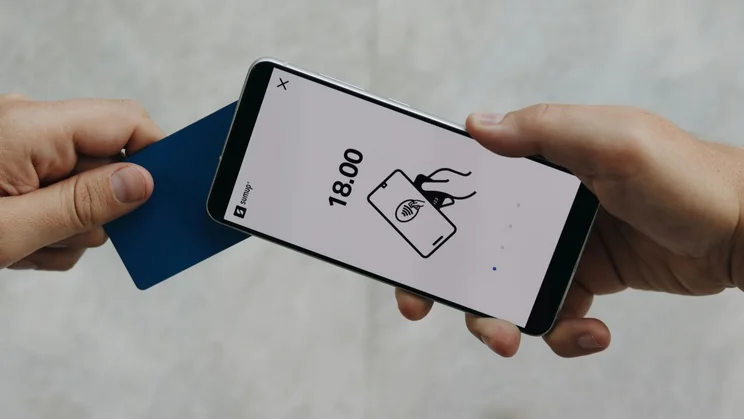
This was a close call, as both POS providers were often neck and neck, with comparable pros and cons.
But ultimately, SumUp’s scalability and wider range of hardware make it the stronger option of the two. In particular, we feel that SumUps’ POS Pro, while expensive, will offer more bang for your buck if you run a small to medium-sized retail business, or if you’re running a cafe or small restaurant.
PayPal Point of Sale is still a very strong low-cost option, though. PayPal Point of Sale’s iPad-based free plan is great for ventures with smaller budgets, such as mobile businesses and pop-ups, as you can get started with it for very little investment.
Read more:The best POS systems for small businesses
Methodology: how did we put SumUp and PayPal Point of Sale to the test?
In our latest round of POS research conducted, our Senior Research Executive evaluated a total of 11 systems, including SumUp and PayPal Point of Sale (named Zettle at the point of testing), in order to ensure our recommendations and insights are up to date and accurate.
Both of these systems were then tested by our dedicated Reviews Writer alongside other testers in our Startups offices in London, evaluating both the front and back ends of the platforms. This was set against a review framework devised by our Head of Research and Senior Research Executive.
In order to put PayPal Point of Sale and SumUp head to head, we compared them on the five categories we determined as the most important for POS users:
- Price: are you getting good value for money? We compare upfront costs, transaction fees, monthly costs, and whether a free trial is offered.
- Hardware: we examine the range of card readers, terminals and accessories that are offered by the provider.
- Software: we analyse the depth and range of features provided, including inventory management, reporting and analytics, employee management and more.
- Help and support: we look at the range and accuracy of the help and support options available.
- Usability: we test how easy to use the system is, on both the front end and back office.
As POS systems are needed across different industries, we determined two different testing groups: one specifically for their retail features, and one for the features that serve the hospitality industry. We were then able to cover the most important results from each group in this article, so that we can help you make a choice, whichever industry you’re in.
Startups.co.uk is reader-supported. If you make a purchase through the links on our site, we may earn a commission from the retailers of the products we have reviewed. This helps Startups.co.uk to provide free reviews for our readers. It has no additional cost to you, and never affects the editorial independence of our reviews.


